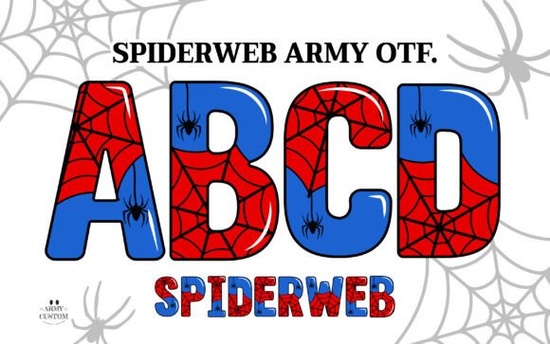
If you’ve been searching for a font that adds just the right amount of eerie charm to your Halloween projects, party invites, or spooky merchandise, take a closer look at the Spiderweb Army Font. It’s not your average typeface it’s a color font with delicate web-like strokes that give off a mysterious, almost magical vibe. Whether you’re designing t-shirts, printable decor, or digital graphics, this font brings texture and personality without needing extra layers or effects.
The black version works perfectly with cutting machines like Cricut Design Space, so crafters can easily turn their text into vinyl decals, stencils, or iron-ons. For those working in Adobe apps, the color OTF format is supported in Photoshop CC 2017+ and Illustrator CC 2018+, letting you use the full-color webbed style directly in your layouts. If your software doesn’t support OpenType SVG fonts, don’t worry you’ll also get bonus PNG files to drop into any project as graphic elements.
What kinds of projects work best with this font?
This font shines when used for seasonal designs, especially around Halloween. Think:
- Print-on-demand products like mugs, tote bags, or phone cases with creepy-cute sayings
- Party invitations or event posters where you want to hint at mystery without going full horror
- Wall art or stickers for themed rooms, dorms, or retail displays
- Social media graphics for influencers or small shops promoting fall events
It’s playful enough for kids’ parties but detailed enough for gothic or fantasy-themed branding. The web patterns within each letter add visual interest even at smaller sizes, which helps your text stand out on busy backgrounds.
Can I use this if I don’t have Adobe or a cutting machine?
Absolutely. While the full-color version requires specific software, the included PNGs are universal. You can drag them into Canva, Procreate, Affinity, or even PowerPoint. Just type your text in a basic font first for layout, then replace individual letters with the PNG versions for that signature spiderweb effect. It takes a little more time, but the result is worth it and totally customizable.
For crafters using machines like Silhouette or Brother ScanNCut, the black outline version cuts cleanly and pairs well with glitter, foil, or textured vinyl. Many users layer it over solid shapes or glow-in-the-dark materials for extra impact.
A quick tip: spacing matters
Because of the intricate web details extending from each character, avoid tight kerning. Give your letters a little breathing room especially in all-caps or longer words so the design doesn’t feel cluttered. A tracking value between 50–100 usually does the trick in most design programs.
Where else can I find similar creative fonts?
If you like the layered, illustrative style of Spiderweb Army, you might enjoy browsing other colorful fonts in the same category. Creative Fabrica has a growing collection of decorative typefaces that blend illustration with typography perfect for designers who want to skip complex clipping masks or manual tracing.
You can also explore Spiderweb Army Font directly on Creative Fabrica to see real user projects, download previews, or grab it during a site-wide sale (they happen often).
Is this font beginner-friendly?
Yes as long as you know which version to use for your tools. New users sometimes get confused between the color OTF and the standard black TTF. Here’s the simple rule:
- Use the color OTF only in Adobe apps (Photoshop/Illustrator) or other SVG-compatible software.
- Use the black TTF for everything else including Canva, Word, Cricut, Silhouette Studio, etc.
- Use the PNGs when you need maximum flexibility or your app doesn’t handle custom fonts well.
The download package includes clear instructions and file labels, so you won’t be guessing which one to open. And because it’s from Creative Fabrica, you’re covered by their commercial license meaning you can sell physical or digital items made with this font without extra fees.
One thing to watch: contrast
The delicate lines in the webbing can disappear on dark or patterned backgrounds. Test your design in grayscale first to make sure the shapes still read clearly. Adding a subtle white stroke or outer glow can help the letters pop without overpowering the original aesthetic.
Next step: Download the preview files and test the font in your most-used app. See how it behaves at different sizes, and try pairing it with a clean sans-serif for balance. Sometimes the best designs come from mixing ornate and minimal let the spiderwebs do the talking, and keep the rest simple.
Download Now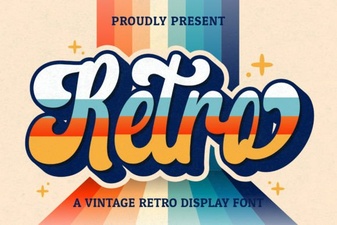 Elevate Your Design with Vintage Retro Script Fonts
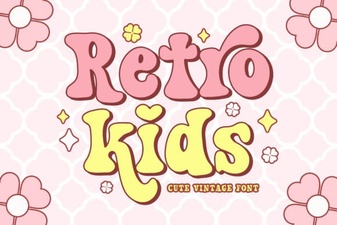 Crafting Projects with Retro Kids Font Styles
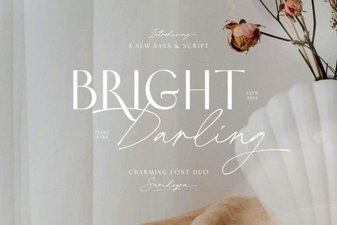 Bright Darling Duo: Creative Font Pairing Guide
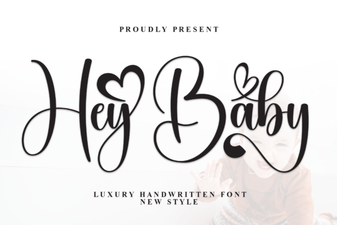 Hey Baby Font: a Fun & Creative Design Resource
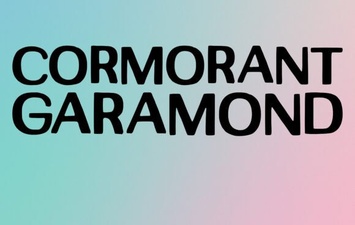 Crafting Typography with Cormorant Garamond
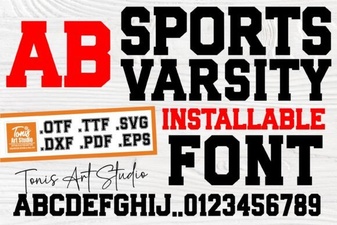 Varsity Fonts for Sports Team Branding