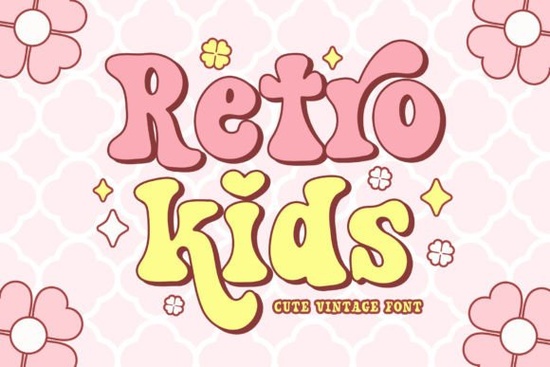
If you’re working on a project that needs a playful, nostalgic feel think back-to-school posters, birthday invites, or summer-themed merch the Retro Kids Font might be just what you’re looking for. It’s a cute retro serif with groovy charm and enough personality to stand out without overwhelming your design. What makes it especially handy is the set of alternate characters for both uppercase and lowercase letters, giving you flexibility to tweak the look depending on your layout or mood.
This isn’t one of those fonts that tries too hard to be vintage. Instead, it feels like flipping through an old yearbook or finding a forgotten sticker pack from the ‘70s warm, fun, and full of character. Whether you’re designing t-shirts, stickers, sublimation prints, or classroom decor, Retro Kids adds that cheerful retro touch without needing extra embellishments.
What kinds of projects work best with this font?
You’ll find this font shines in casual, kid-friendly, or seasonal designs. Here are some real-world uses where it fits naturally:
- Back-to-school materials Think classroom name tags, welcome banners, or teacher appreciation cards.
- Birthday invitations Especially for kids’ parties with a throwback or crafty theme.
- Summer camp flyers or merch The groovy vibe pairs well with sun, sand, and popsicle aesthetics.
- T-shirt and tote bag designs Great for POD sellers who want something eye-catching but not overly trendy.
- Stickers and sublimation blanks The alternates let you create subtle variations across a product line.
If you’ve used fonts like Laguna Tropic for beachy themes or Welcome Christmas for holiday cheer, you already know how much tone matters. Retro Kids slots right into that same thoughtful, mood-driven category it’s not just readable, it’s expressive.
How do the alternates actually help my design?
Alternate characters aren’t just decorative fluff. They let you avoid repetition in all-caps headlines or add a little bounce to lowercase phrases. For example, if you’re laying out a “First Day of School!” banner, swapping in a few alternates can make the text feel more handcrafted and less robotic. You don’t need design software mastery to use them most programs (like Illustrator, Canva, or Affinity) let you access alternates through OpenType features or glyph panels.
Compare it to something more formal like Cormorant Garamond, which is beautiful but built for elegance, not playfulness. Retro Kids gives you permission to loosen up a bit.
Is this font beginner-friendly?
Absolutely. Even if you’re new to typography or running a small Etsy shop, this font doesn’t require advanced skills to look good. Pair it with simple sans-serifs for contrast, or let it stand alone in short headlines. Because it’s not overly ornate, it stays legible even at smaller sizes perfect for labels, tags, or social media graphics.
It also plays nicely with other display fonts. Try mixing it with Designer Font for a modern-retro combo, or layer it over Retro Script for a double dose of nostalgia. Just remember: balance is key. One standout font per design usually does the trick.
For reference, you can see how others have used similar styles by checking out Retro Kids on Creative Fabrica. There, you’ll find mockups, user examples, and licensing details for commercial use.
Any tips for using Retro Kids effectively?
- Don’t overcrowd it. Let the letters breathe this font has personality, so give it space to shine.
- Use color wisely. Mustard yellow, faded coral, or mint green enhance its retro feel.
- Pair with clean elements. Simple icons, solid backgrounds, or minimal borders keep the focus on the type.
- Test readability. If you’re printing small (like on stickers or tags), preview at actual size before finalizing.
And if you’re ever unsure whether a font matches your project’s tone, ask yourself: “Does this feel like it belongs here?” Retro Kids works when you want warmth, whimsy, and a hint of vintage not when you need corporate polish or minimalist sleekness.
Ready to try it? Here’s your next step:
- Download a sample or license from Creative Fabrica.
- Open your favorite design tool and test it with your headline or phrase.
- Toggle a few alternates to see how they change the rhythm.
- Save two versions one plain, one with alternates and compare which feels more “you.”
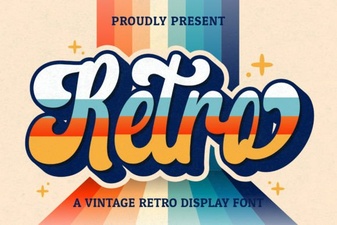 Elevate Your Design with Vintage Retro Script Fonts
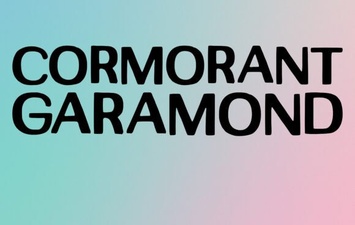 Crafting Typography with Cormorant Garamond
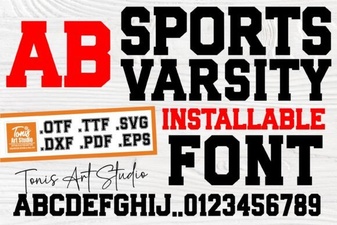 Varsity Fonts for Sports Team Branding
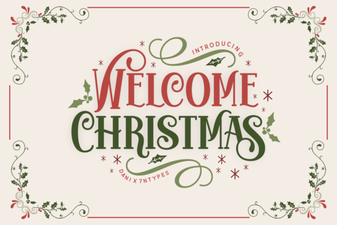 Festive Holiday Typography Ideas for Creative Projects
 Designer Fonts: Creative Style for Your Projects
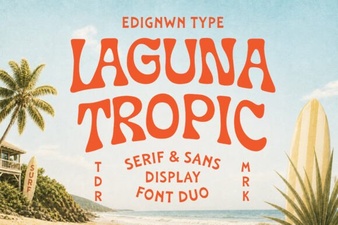 Laguna Tropic Font for Vacation Poster Designs