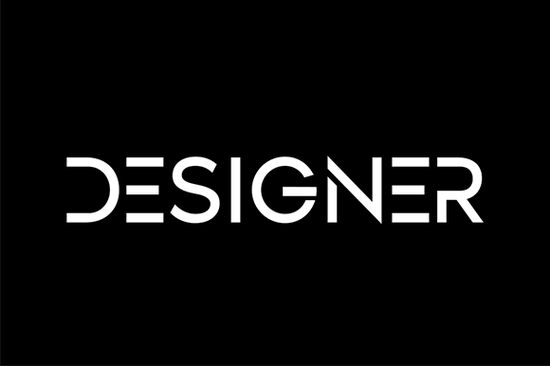
If you’ve been searching for a display font that feels effortlessly put together without being overly stylized, Designer might be exactly what your project needs. It’s a clean, casual typeface with just enough personality to stand out whether you’re working on a wedding invitation, a product label, or a seasonal greeting card. The letterforms are balanced and legible, making it surprisingly versatile for both formal layouts and laid-back designs.
What makes Designer work so well across different projects is its simplicity. You don’t have to fight with spacing or worry about readability at smaller sizes. It holds up in headlines, logos, social media graphics, and even packaging mockups. If you’ve ever tried using something too ornate like maybe the Retro Script and found it hard to pair or scale, Designer offers a gentler alternative that still adds visual interest.
Who should consider using this font?
It’s especially handy if you’re a small business owner creating your own marketing materials, a crafter personalizing mugs or tote bags, or a print-on-demand seller building collections for Etsy or Shopify. Because it doesn’t scream for attention, it lets your message take center stage while still looking intentional and polished.
You’ll also appreciate it if you often design for clients who want “something modern but not too trendy.” Designer avoids gimmicks no exaggerated serifs, no distressed textures like you’d find in Chunky Texture, and no tropical vibes like Laguna Tropic. Instead, it leans into clarity and rhythm. That’s why it pairs beautifully with photos, illustrations, or even minimalist layouts.
How does it compare to other display fonts?
Display fonts can sometimes feel like they’re trying too hard. Designer doesn’t. It’s more like the quiet friend at the party who somehow ends up being everyone’s favorite. Compared to something playful like Welcome Christmas or bold like Welcome, Designer sits comfortably in the middle expressive enough to feel custom, restrained enough to feel professional.
Here’s where it shines:
- Wedding stationery Invitations, menus, place cards. The clean lines feel elegant without being stiff.
- Product branding Coffee bags, skincare labels, boutique packaging. It reads well at various sizes.
- Social media templates Instagram carousels, Pinterest pins, YouTube thumbnails. No squinting required.
- DIY crafts Vinyl decals, embroidery patterns, laser-cut signs. Easy to trace and cut.
Any tips for pairing it with other fonts?
A common mistake is pairing two display fonts together and ending up with visual noise. With Designer, stick to simple sans-serifs or classic serifs for body text. Think fonts like Montserrat, Lora, or even system fonts like Georgia. You want the supporting type to recede slightly so Designer can do its thing up top.
If you’re layering text over images, try adding a subtle drop shadow or placing it on a semi-transparent background block. Designer’s clean strokes handle contrast well, but you still want to ensure readability especially for mobile viewers.
Is it beginner-friendly?
Absolutely. Even if you’re new to typography or design software, you won’t struggle with kerning or alignment. The spacing between letters feels natural right out of the box. Most users report they didn’t need to tweak tracking or leading much, if at all. That’s rare for display fonts, which often require manual adjustments to look their best.
And because it’s available through Creative Fabrica, you get commercial licensing included meaning you can use it on client work, physical products, or digital downloads without worrying about extra fees or restrictions.
What file formats come with it?
You’ll typically get OTF, TTF, and WOFF files enough to cover desktop use, web embedding, and most design apps (Canva, Adobe Suite, Silhouette Studio, Cricut Design Space, etc.). Some bundles may also include bonus glyphs or alternates, so always check the product page for specifics.
One thing to note: while Designer works great as a headline font, it’s not meant for long paragraphs. Save it for titles, subheads, logos, or short quotes. For body copy, choose something simpler and more neutral.
Quick checklist before you download:
- ✅ Confirm you’re getting the full commercial license (you should be, via Creative Fabrica).
- ✅ Check if alternates or multilingual characters are included if you need them.
- ✅ Test it in your usual design tool some fonts behave differently across platforms.
- ✅ Pair it with a readable body font before committing to a full brand set.
If you’re already using other fonts from Creative Fabrica, adding Designer to your toolkit fills a useful gap that sweet spot between personality and practicality. It’s the kind of font you’ll reach for again and again because it just… works.
Learn More Elevate Your Design with Vintage Retro Script Fonts
 Crafting Projects with Retro Kids Font Styles
 Crafting Typography with Cormorant Garamond
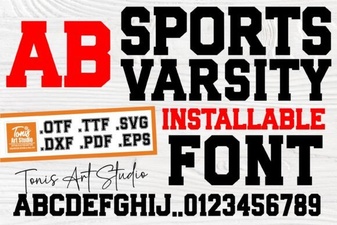 Varsity Fonts for Sports Team Branding
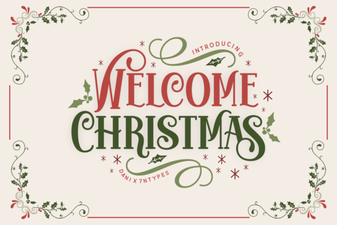 Festive Holiday Typography Ideas for Creative Projects
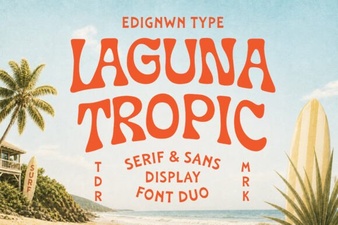 Laguna Tropic Font for Vacation Poster Designs