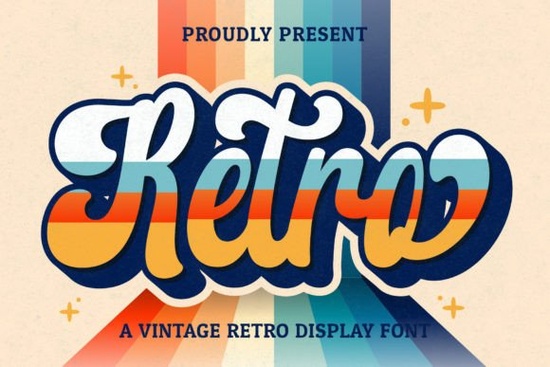
If you’ve been searching for a handwritten font that feels nostalgic but still fresh, Retro Script Font might be exactly what your next project needs. It’s got that warm, vintage handwriting vibe the kind you’d see on 70s album covers or diner menus but it’s built for modern design tools and workflows. Whether you’re designing wedding invites, branding a small coffee shop, or creating merch for print-on-demand, this font adds personality without overwhelming your layout.
What makes it especially handy is that it’s PUA encoded. That means all the extra glyphs, swashes, and alternate characters are easy to access no digging through character maps or installing extra files. Just open your favorite design app (like Canva, Adobe Illustrator, or Affinity Designer), and everything you need is right there in the glyph panel.
What kinds of projects work best with Retro Script?
This isn’t a one-trick font. Because of its casual, flowing style, it adapts well to different moods and uses:
- Branding & logos especially for cafes, boutiques, or handmade goods where a personal, artisanal feel matters.
- Social media graphics quotes, announcements, or seasonal posts that need a little retro charm.
- Wedding stationery invitations, place cards, or signage that feel elegant but not stiff.
- Merch designs think t-shirts, tote bags, or mugs with phrases like “Good Vibes Only” or “Sunday Funday.”
- Printables & digital planners headers, dividers, or decorative elements that add warmth.
If you like the idea of pairing it with something bolder, check out Grinched 20 for contrast its rough edges play nicely against Retro Script’s smooth curves. Or if you want to keep things playful, Retro Kids could be a fun companion for family-friendly projects.
How does it compare to other display fonts?
Not all script fonts are created equal. Some feel too formal, others too sloppy. Retro Script strikes a balance it’s legible at medium sizes but still has enough character to stand out. If you’ve tried fonts like Sunspell or Laguna Tropic, you’ll notice Retro Script sits somewhere between their styles: less tropical than Laguna, less structured than Sunspell.
It also plays well with minimalist layouts. You don’t need to surround it with lots of decorative elements sometimes just a clean background and a single word in Retro Script is enough to make a statement.
Any tips for using it effectively?
A few practical suggestions from real-world use:
- Don’t go too small. Like most script fonts, readability drops below 18pt. Use it for headlines, titles, or short phrases not body text.
- Try the alternates. Open your glyph panel and swap out a few letters. Even changing one character can give your design a more natural, hand-lettered look.
- Pair with a simple sans-serif. Fonts like Helvetica, Montserrat, or even Designer Font create nice contrast without competing.
- Watch your spacing. Script fonts can get cramped. Add a little letter-spacing (tracking) if letters feel too tight.
And if you’re using it for commercial projects yes, you’re covered. Most licenses on Creative Fabrica allow for personal and commercial use, including POD platforms like Etsy, Redbubble, or Printful. Always double-check your license file after download, but generally, you’re good to go.
Who’s it not for?
If you need something ultra-modern, geometric, or corporate, this probably isn’t your font. It’s not meant for annual reports or tech startup logos. But if your brand leans toward cozy, handmade, nostalgic, or playful? Then it’s worth a test drive.
You might also want to skip it if you’re working with very long blocks of text. Again it’s a display font. Beautiful for accents, headlines, and short messages, but not built for paragraphs.
Quick checklist before you start:
- ✅ Download and install both OTF and TTF versions (just in case your software prefers one over the other).
- ✅ Open your glyph panel to explore alternates and swashes they’re included and ready to use.
- ✅ Test it at different sizes to find your sweet spot for readability.
- ✅ Pair it with a neutral font for balance don’t let two decorative fonts fight for attention.
- ✅ Save your license file. You never know when you’ll need to reference it later.
Still unsure? Try typing your business name or a sample phrase in Retro Script using a free mockup tool. Sometimes seeing it in context is all you need to know if it’s the right fit.
Explore Design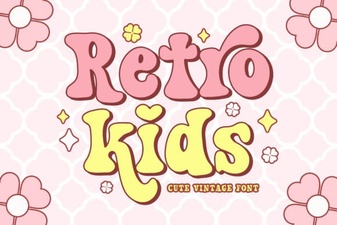 Crafting Projects with Retro Kids Font Styles
 Crafting Typography with Cormorant Garamond
 Varsity Fonts for Sports Team Branding
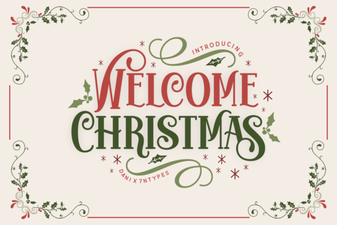 Festive Holiday Typography Ideas for Creative Projects
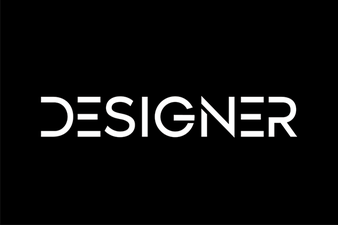 Designer Fonts: Creative Style for Your Projects
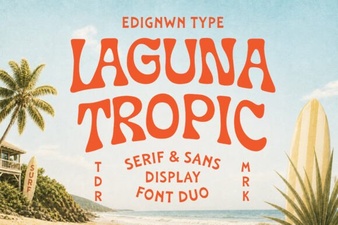 Laguna Tropic Font for Vacation Poster Designs